Code Crux · Collaborative IDE
About Crux
Crux, also called Code Crux, is the collaborative AI code editor at codecrux.us. It brings people, related code files, and coding agents into one workspace, with live shared editing, a spatial code canvas, and an integrated terminal.
Why we are building it
Coding with another person often means explaining a change across several files while navigating an editor, a terminal, and a call. Crux brings those parts of a task into a shared view. The goal is to make it easier to keep the project context in sight while people work through the change together.
01 / CONTEXT
Keep related files visible
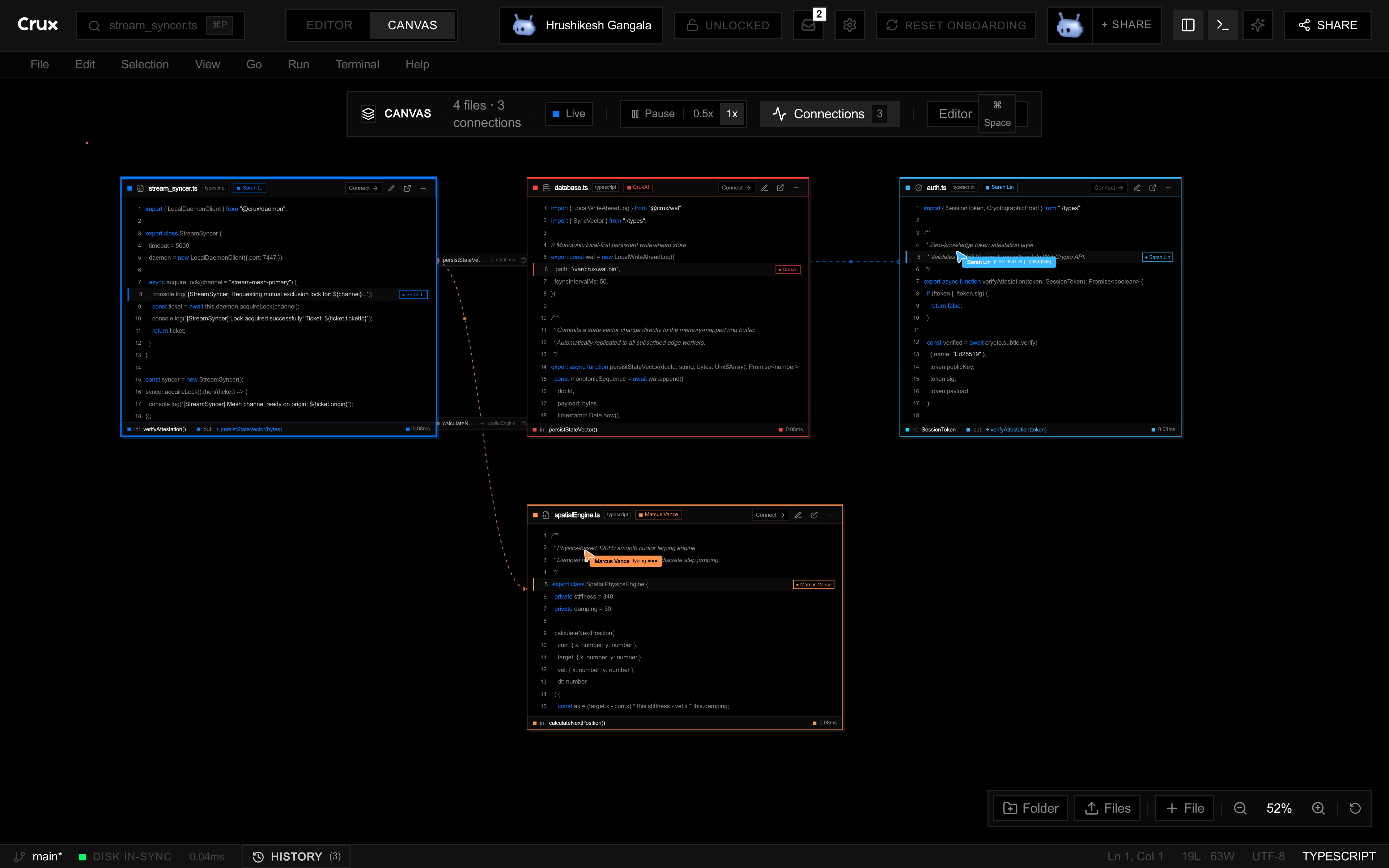
Move between Editor and Canvas views. The canvas gives a task more room than a row of tabs, so you can arrange the files you need to understand together.
02 / COLLABORATION
Work in the same workspace
Share a full-edit link with a collaborator or a view-only link for a walkthrough. Shared text and teammate cursor presence help people follow the work.
03 / TOOLS
Keep the tools nearby
Use the file explorer, command palette, and integrated terminal alongside your code. The browser IDE is available to explore without a desktop install.
See the current workspace
In Canvas mode, you can place related code files together and draw connections between them. Switch back to Editor mode to focus on a file. The browser IDE also has a Share dialog with separate full-edit and view-only links.
Read the IDE guide for the current controls, or use the pair programming guide to start a shared session.
Access and development status
Browser IDE
Crux is in early access. The browser workspace requires an approved account; public demos and guides let you explore the workflow before requesting access.
Watch Crux work →Desktop access
The desktop app targets Apple Silicon Macs. Join the waitlist for access updates, and read the guides for the current setup requirements.
Join the waitlist →