Choose your workflow
Compare collaborative code editors.
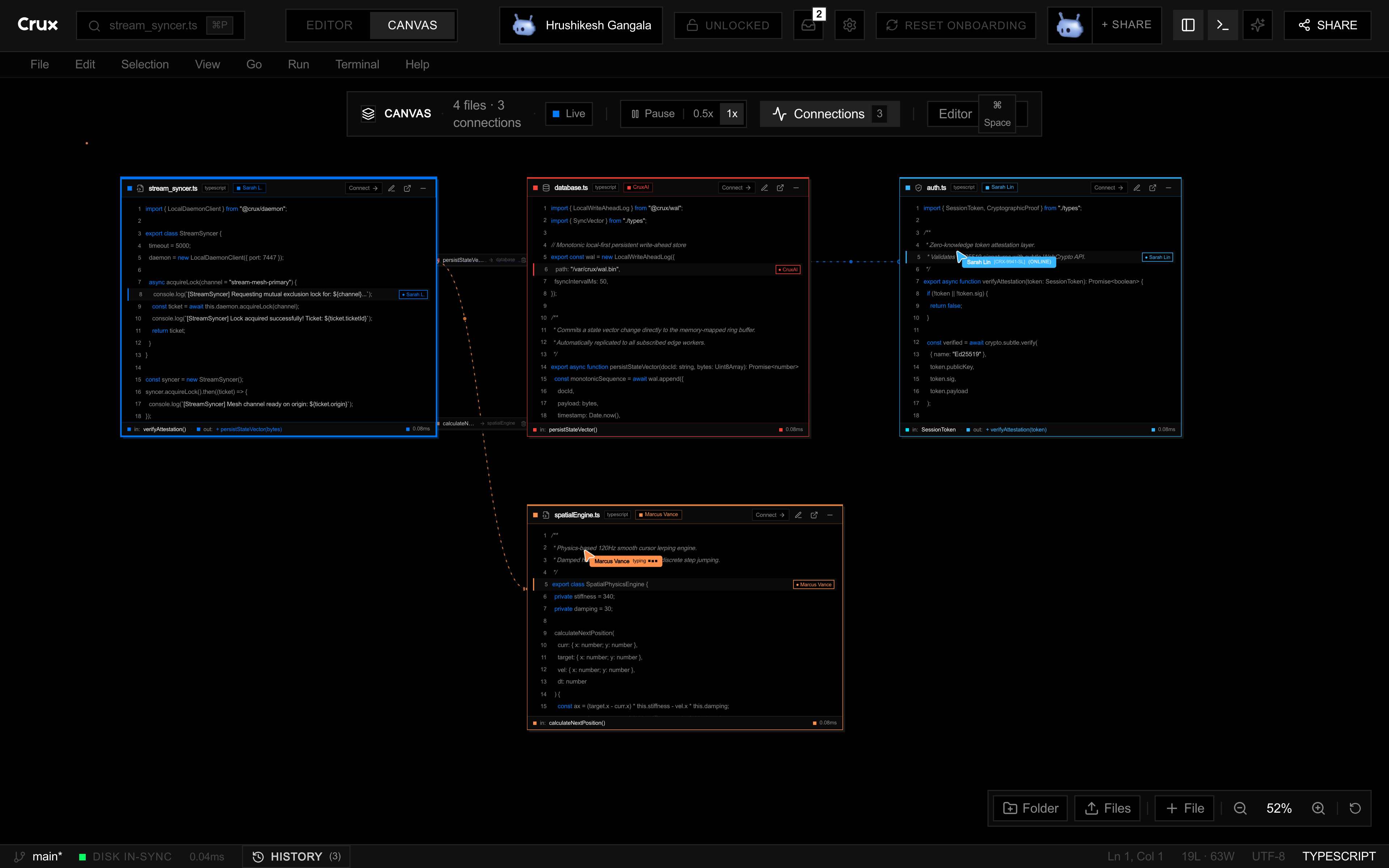
Looking at code editor competitors or a Cursor alternative? Start with the way your team works: shared editing, codebase context, and the tools you already use. Crux brings those tasks into one IDE with a spatial code canvas.
Searches for “code competitors” can mean a coding agent, a pair programming extension, or a full IDE. This guide separates those jobs so you can compare tools that solve the same problem.
| Tool | Main focus | Consider it when | Product source |
|---|---|---|---|
| Crux | Shared code editing with a spatial view of files and context | Your team wants to explore the codebase together while editing and using a terminal. | Try the Crux IDE |
| Cursor | An AI-focused code editor | You want AI assistance inside an editor-centered workflow. | Cursor documentation |
| VS Code Live Share | Collaborative sessions inside Visual Studio Code | Your team already works in VS Code and wants to share an editing or debugging session. | Microsoft Live Share |
| Zed | A code editor with collaboration features | You want an editor built around fast navigation and real-time teamwork. | Zed collaboration docs |
Compare one workflow at a time.
These guides look at where Crux fits alongside three popular code editor competitors, with links to each product's official documentation.
See the whole codebase together.
Crux combines a code editor, a spatial view of connected files, live collaboration, and a terminal. Try the browser IDE to decide whether that workflow fits your project.
Where does Claude Code fit?
If you are searching for Claude Code competitors, note the difference in role: Claude Code is a coding agent, while Crux is an IDE for viewing and editing a shared workspace. A terminal-based agent can be part of an IDE workflow rather than a replacement for it.
Read Anthropic’s Claude Code overview for the agent’s current capabilities.